Data Transfer Unit
The Data Transfer Unit (DTU) allows easy access from the sensor to a USB of a computer.
To set-up:
- Simply connect the sensor to the DTU and the USB to the computer
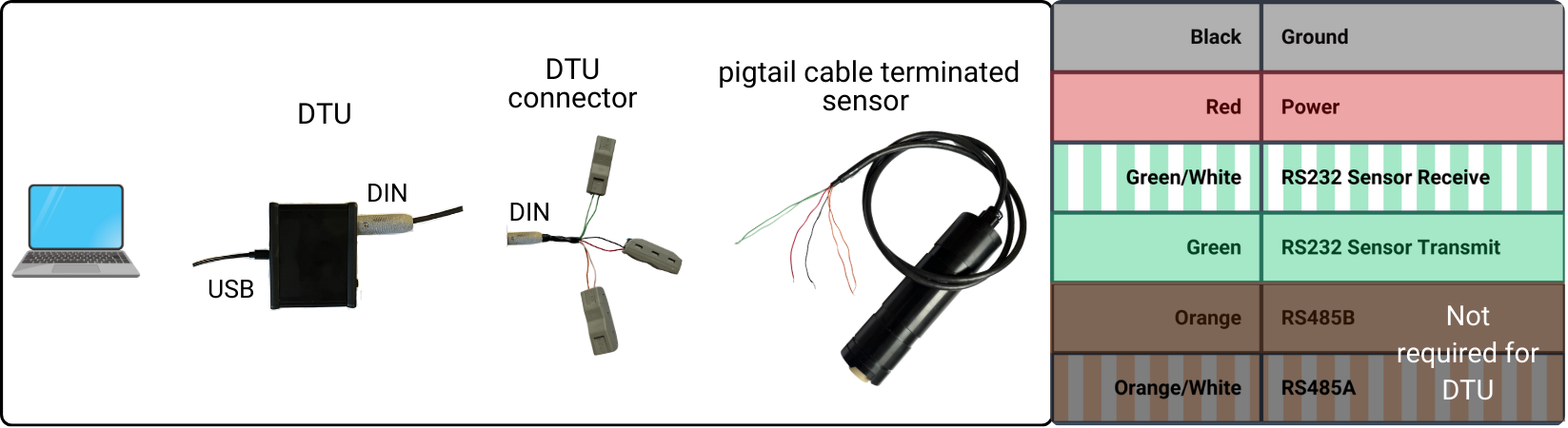
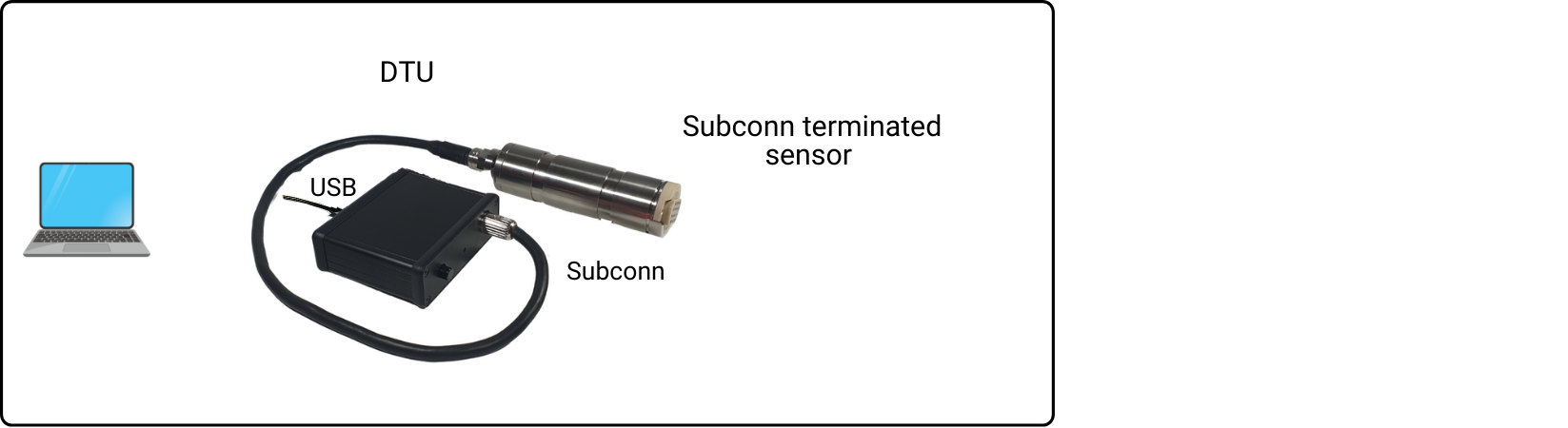
- Press the power on switch on the DTU and the light will come on to show the DTU has power
- Wait for the sensor to beep twice
You can now communicate to the sensor via anb_utils
note
For optimal temperature accuracy, a supply voltage of 6 V or greater is recommended. Operation via the DTU (USB-powered at approximately 5 V) may result in reduced temperature accuracy and is intended mainly for setup and configuration purposes rather than deployments.
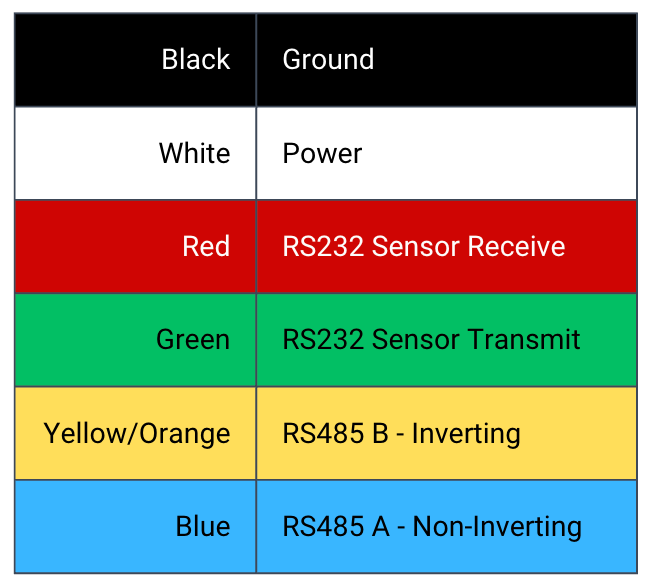
For older sensors which include a blue wire:
For further support please contact support@anbsensors.com